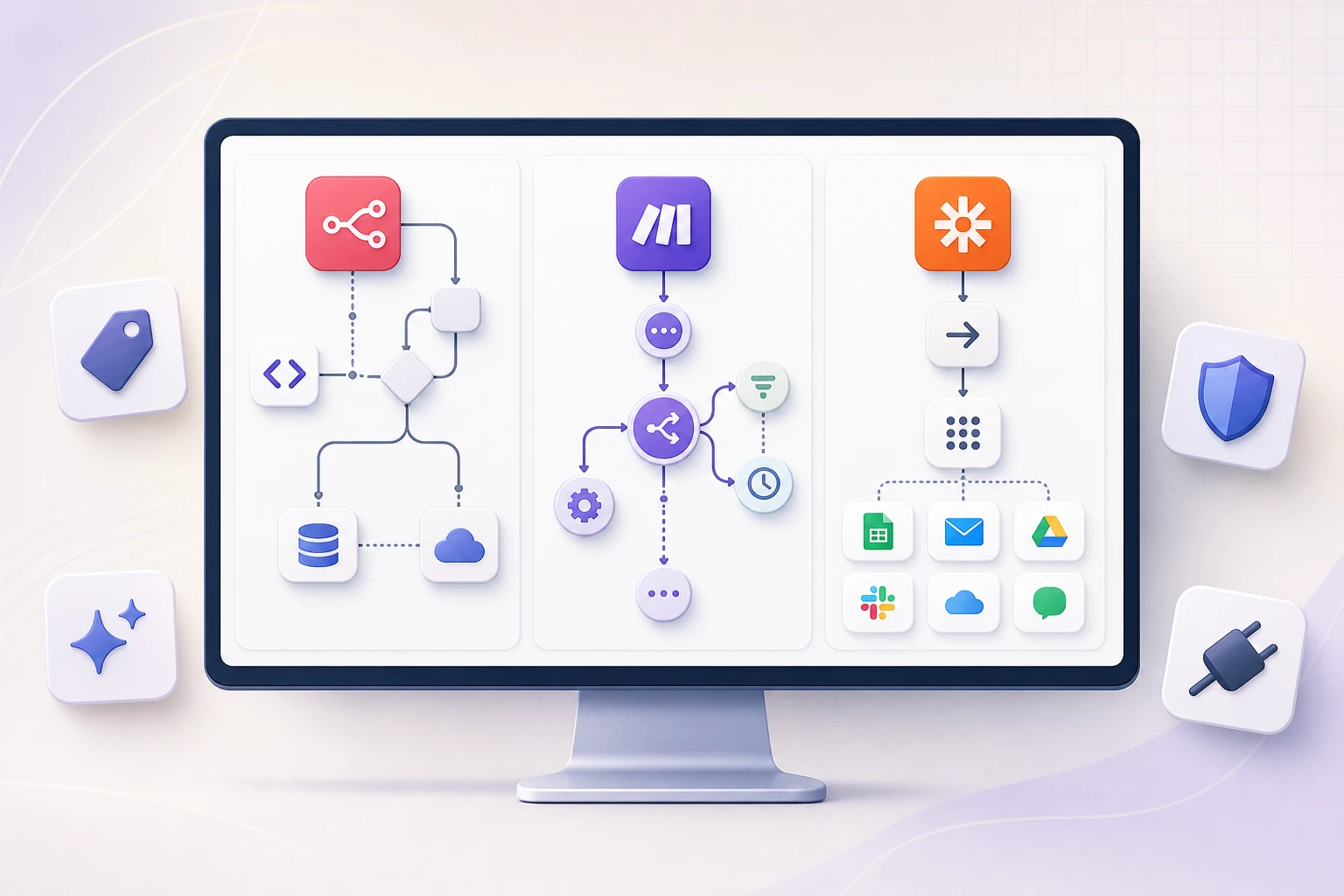
If you search “n8n vs Make vs Zapier” in 2026, you will find a lot of opinions and very few sources. Pricing pages change every few months, integration counts get quoted from marketing copy instead of the vendor’s own directory, and “AI automation” gets bolted onto every comparison without anyone explaining what that actually means on each platform.
This guide takes a different approach. Every price, credit definition, and integration count below links to the vendor’s own page and is marked with the date we checked it, because these numbers move fast and a comparison article that does not date its claims is not much more useful than a guess. Where a number is an estimate rather than something we could verify directly, we say so.
Quick Answer: Which Tool Fits You
| You are… | Start with | Why |
|---|---|---|
| A non-technical team automating a handful of simple tasks | Zapier | Largest app catalog, gentlest setup, but costs climb fastest per step at volume |
| A visual builder handling moderate, branching workflows | Make | Flowchart-style canvas, strong middle ground on price and power |
| A technical team running high volume or building AI agents | n8n | Pay per workflow run (not per step), free self-hosting, deepest AI agent tooling |
| An enterprise with strict compliance or data residency needs | n8n (self-hosted) or Power Automate | Greater control over infrastructure, credentials, and stored data (subject to any external services the workflow calls), or Microsoft’s compliance stack if you’re already on that platform |
The rest of this article explains exactly how we got to that table, with sources, so you can check our reasoning instead of taking it on faith.
What Each Tool Actually Is
n8n
A workflow automation platform you can run in its cloud or host yourself. Node-based canvas, but with raw JSON, custom JavaScript/Python code nodes, and direct API calls when built-in nodes are not enough. In 2026, n8n has leaned hard into being an AI agent framework as much as an automation tool, with dedicated AI Agent nodes, Model Context Protocol (MCP) support, and a natural-language “AI Workflow Builder.”
Make
Formerly Integromat. A cloud-only visual automation platform built around a flowchart canvas rather than a linear list of steps. The middle ground between Zapier’s simplicity and n8n’s technical depth: branching, routers, and error handlers visually, plus a growing set of AI Agent building blocks, without needing to write code.
Zapier
The largest and most established of the three, built around a simple trigger-then-action model (“Zaps”). Biggest app catalog, easiest onboarding for non-technical users, and (as of 2026) “Zapier Agents,” built on Zapier Copilot for spinning up AI teammates that act across connected apps.
Power Automate
Microsoft’s automation and RPA (robotic process automation) product, tightly integrated with Microsoft 365 and the Power Platform. Not a direct competitor to the other three for most small teams, but the default choice for organizations already standardized on Microsoft’s stack, especially for attended/unattended desktop automation.
Pricing Compared, With Sources
Before comparing numbers, it helps to know what you are actually being billed for, because this is where most comparison articles get sloppy. Each platform uses a different billing unit, and a “cheaper” headline price can be more expensive in practice depending on how your workflow is built.
| Platform | Free tier | Entry paid tier | Billing unit | Source |
|---|---|---|---|---|
| n8n | Free self-hosted Community Edition only (no free cloud tier) | Starter, €20/mo: 2,500 executions/mo, unlimited steps, 5 concurrent executions, 1 shared project | Execution: one full run of your entire workflow, regardless of how many steps or how much data it processes | n8n.io/pricing Verified July 2026 |
| Make | $0/mo: 1,000 credits/mo, 2 active scenarios, 15-minute minimum interval between runs | Core, $9/mo: 10,000 credits/mo | Credit: renamed from “operations” in August 2025, one credit per module action in a scenario (routers and error handlers are free) | make.com/en/pricing Verified July 2026 |
| Zapier | $0/mo forever: 100 tasks/mo, 2-step Zaps only | Professional, listed from $19.99/mo on Zapier’s own pricing page | Task: one successfully completed action step (the trigger/check itself is free; Tables, Forms, Filter, Formatter, Path, Delay, Looping, and Storage steps don’t consume tasks either) | zapier.com/pricing Verified July 2026 |
| Power Automate | 30-day trial only, no permanent free tier | Premium, $15/user/mo (annual billing) | Per-user for cloud flows; unattended bots are licensed separately at $150–$215/bot/mo | microsoft.com Power Automate pricing Verified July 2026 |
We found third-party trackers citing $29.99/mo for the same Professional tier, against $19.99/mo shown on Zapier’s own pricing page at the time of writing. Vendor pricing tiers and included task volumes change often enough that you should confirm the live number at signup rather than trusting any article, including this one, as the final word.
Pricing changes worth knowing about (2025–2026)
Pure execution-based billing
Removed active-workflow, user, and step limits from every cloud plan (“you only pay when your workflow runs”), added a self-hosted Business tier with Git version control, SSO, and queue-mode scaling. Drew some community pushback from high-volume self-hosters. (n8n community thread)
“Operations” renamed to “credits”
Core plan capped at 300,000 credits/mo (auto-upgrades to Pro at the same price if exceeded), Pro’s cap raised to 8,000,000 credits/mo, and bring-your-own AI provider billing opened up so you pay OpenAI/Anthropic/etc. directly. (Make help center)
Model-tier AI pricing
“AI by Zapier” steps now bill at Standard (1x task cost), Advanced (3x, new default, enables tool use), or Premium (5x, advanced reasoning plus tools). Your own AI account keeps the 1x rate. A safeguard pauses any step hitting 75 tasks in one run. (Zapier help center)
AI Agents and Automation in 2026
Since this comparison is specifically about AI automation, this is the section that actually matters most for a 2026 buying decision. Treat everything in this section as vendor marketing until you have tested it yourself. All three companies are moving fast here and describing their own products in the best possible light, which is normal, but worth remembering.
n8n’s approach: AI Agent nodes, MCP, and a natural-language builder
n8n markets its AI approach around building “modular AI systems that are easy to debug, explainable by design,” rather than a single black-box agent. It supports the Model Context Protocol (MCP), which lets you expose your n8n workflows as tools callable by external AI platforms (including Claude), and offers an “AI Workflow Builder” that drafts a working workflow from a plain-English description. Cloud plans bundle a monthly AI-credit allowance for an in-product AI assistant (2,300 credits on Starter, up to 13,700 on Pro), separate from the execution-based workflow billing above. (n8n.io/ai, verified July 2026)
Make’s approach: visual AI Agents on the canvas
Make lets you build AI Agents directly on its visual canvas, “as easily as workflows,” with step-by-step reasoning logs and adaptive routing so you can see why the agent made a given decision. It connects to over 400 AI-specific apps and modules, including OpenAI (ChatGPT, Sora, Whisper), Google Vertex AI/Gemini, Anthropic Claude, Azure OpenAI, and Mistral AI. (make.com/en/ai-automation, verified July 2026)
Zapier’s approach: Agents, Copilot, and Chatbots
Zapier’s AI product line has three parts. “Zapier Agents,” built via Zapier Copilot, are described as AI teammates that connect to your business data and perform tasks across Zapier’s app catalog, either on-command or autonomously, with an activity log for monitoring. The free Agents tier includes 400 activities/mo; Agents Pro is $400/yr (about $33.33/mo) for 1,500 activities/mo. A separate “Chatbots” product scales from 2 bots free up to 20 bots on the $800/yr Advanced tier. As covered above, the June 2026 pricing overhaul means any AI step inside a regular Zap now bills at 1x, 3x, or 5x the normal task rate depending on the model tier used. (zapier.com/agents, verified July 2026)
Power Automate’s approach: Copilot Studio credits
Microsoft is consolidating its AI billing around Copilot Studio. AI Builder is being sunset as a standalone credit system: after November 1, 2026, seeded AI Builder credits are removed and usage bills through Copilot Studio Credits instead, at $200 per 25,000 credits/mo prepaid, or $0.01/credit pay-as-you-go, pooled at the tenant level. (Microsoft Learn, verified July 2026)
Integrations and App Ecosystem
| Platform | Advertised / directory count | Source |
|---|---|---|
| n8n | 1,951 integrations listed on its own directory (though a separate n8n marketing page advertises “500+”) | n8n.io/integrations |
| Make | Advertised as “3,000+”; the live app directory shows 3,543 results at time of writing | make.com/en/integrations |
| Zapier | Advertised as “9,000+” apps (also shown as “10,000+ connections” elsewhere on the site) | zapier.com/apps |
n8n’s AI marketing page says “500+” (n8n.io/ai), its live integrations directory lists 1,951 (n8n.io/integrations), and its GitHub README states “400+ integrations” in one place and “1500+ integrations” in another, on the same page (github.com/n8n-io/n8n). This is less a case of one number being wrong and more that “integrations” gets counted differently depending on whether you mean distinct apps, individual nodes, available actions, or community-maintained connectors, and vendors, including n8n itself, are not consistent about which one they are advertising. Treat any integration count in this article, or anywhere else, as directional rather than exact, and check the vendor’s live page for your specific use case.
Raw counts matter less than depth for your specific stack, though. n8n’s advantage here is not exclusive API access. Both Zapier (via Webhooks by Zapier, Code by Zapier, and its API Request action) and Make (via its HTTP module and custom app framework) can also call arbitrary external APIs directly. n8n’s real advantage is the combination of direct API access, reusable custom code, self-hosting, and developer-level control inside the same workflow environment, not being the only one of the three that can reach an unsupported API.
A Concrete Cost Example
Numbers are easier to reason about with a real scenario, so here is one: a workflow that takes a new lead form submission, enriches the contact, creates a CRM record, and posts a Slack notification, run 3,000 times a month. That is four logical steps after the trigger.
~3,000 executions/mo → Pro, €50/mo
Counts as 3,000 executions/mo, regardless of the four steps inside each run. That exceeds the Starter plan’s 2,500 execution/mo cap. Adding a fifth or sixth step would not change this cost at all, because n8n bills per run, not per step.
~9,000 tasks/mo → above entry tier
Billed per completed action step (trigger is free), so roughly 3 billed tasks per run × 3,000 runs. Well above the 100-task free tier, likely requiring a higher task-volume bracket. Check Zapier’s live pricing slider, since we could not fully verify every tier.
~12,000–18,000 credits/mo (estimate)
Billed per module action, so 4 to 6 credits per run × 3,000 runs is a reasonable estimate, not a measured figure. Would exceed the Core plan’s 10,000 credit/mo allotment, pushing you toward Pro plus possible overage.
These figures are illustrative estimates built from the billing definitions above, not quotes. Actual cost depends on your exact scenario design; recompute with your own step count and volume before deciding.
The takeaway is not “n8n is always cheapest,” it is that the billing unit changes which workflows are cheap. A simple, low-step, high-volume workflow tends to favor n8n’s per-execution model. A workflow with very few runs but many steps might do fine on Zapier’s free tier, since the first 100 tasks cost nothing regardless of step count within that allowance.
Data Control, Security, and Compliance
This is where we want to be direct rather than reassuring, because “AI automation” touching customer data, payments, or business-critical systems is not a low-stakes category.
n8n’s Community Edition is free to self-host, but that means you (or whoever you hire) are responsible for patching, uptime, backups, and securing the server it runs on. If your team does not already run infrastructure, that operational cost is real even though the license fee is zero. Self-hosting also does not, by itself, make a workflow GDPR- or HIPAA-compliant: it gives you direct control over the orchestration layer itself (credentials, logs, stored workflow data), but if that self-hosted workflow calls OpenAI, Anthropic, a SaaS CRM, or any other external API, that data still leaves your server and enters that provider’s own processing chain, which needs its own review (their DPA, subprocessor list, or a BAA for health data). Self-hosting narrows what you need to trust to a third party, it does not remove the need to check.
Cloud-only tools shift the trust question to the vendor’s DPA. Make, Zapier, and Power Automate process your workflow data on their own infrastructure. Before routing customer PII, payment details, or health information through any of them, review the vendor’s Data Processing Agreement and subprocessor list rather than assuming “cloud automation tool” implies a particular compliance posture by default.
Every platform above will happily let an AI agent send an email, issue a refund, or update a customer record autonomously if you wire it that way. Whether that is a good idea depends entirely on the downside of the agent being wrong. A useful rule of thumb, and one we apply in our own client work: anything reversible (drafting a reply, tagging a record, generating a summary) can run unattended; anything hard to reverse (sending a customer-facing message, moving money, deleting data) should route through a human approval step first. If you are hooking any of these tools up to an LLM that reads untrusted input (customer emails, scraped web content, uploaded documents), it is also worth being familiar with prompt-injection risks; OWASP’s Top 10 for LLM Applications is a solid, vendor-neutral starting point.
For more on this way of thinking about AI workflow risk (treating model output as untrusted until validated, and designing for observability and human review), see our broader guide on what AI workflow automation actually is and how it works.
Scalability for Growing Teams
At low volume, all three tools feel similar in cost. The gap widens as you scale.
n8n’s execution-based billing and free self-hosting option mean the cost of scaling a given workflow to run more often does not multiply the way it can on a per-step billing model, and queue-mode self-hosted deployments can absorb high concurrent volume without a per-task fee at all. Make’s credit caps auto-upgrade you to the next plan rather than hard-stopping your scenarios, which is safer than a workflow simply failing, but the underlying credit cost still grows linearly with usage. Zapier’s per-task billing means that workflows with many action steps get proportionally more expensive as volume grows, which is the most common complaint we found in third-party comparisons of the three tools. Power Automate’s per-bot licensing for unattended RPA ($150–$215/bot/mo) is a different scaling model entirely, and tends to make sense only once you are running enough desktop-level automation to justify dedicated bot licenses.
Real-World Proof: What This Looks Like in Production
Comparison tables only get you so far. Here is what one of these platforms actually looks like once it is running in production.
We built an n8n-based support automation system for CollageDepot, an e-commerce company that was receiving more than 5,000 support emails a month across four languages, with response times regularly exceeding 48 hours. The workflow (built on n8n plus the Shopify API) processes each email through six stages: ingest, classify, enrich, prepare, decide, and log. It extracts order identifiers, pulls live order data from Shopify through scoped access, generates responses in English, Spanish, French, and German from approved policy templates, and applies complexity and sentiment rules to decide what can be auto-resolved versus what needs a human. In production, it now auto-resolves 65% of incoming tickets with an average automated response time under 60 seconds, while preserving human review for the more complex or sensitive cases, with a dashboard giving managers override control over every threshold. It took about two months to build.
Not every automation project is a finished, measured production case study, and we think it is worth being clear about which is which. For a venture capital client, AT Swiss Ventures, we designed (but have not yet deployed to production) a six-stage “DealFlow” concept for processing founder submissions arriving through forms, referrals, email, and pitch decks, built around three human approval gates rather than a single automated scoring step, specifically because opaque, fully automated investment scoring is not something we think should ship without a human in the loop. We are describing that one as a proposed design, not a claimed result, because that is what it currently is.
If you want the broader architectural framework we use to decide how much automation (and how much human oversight) a given workflow actually needs, see our guide on choosing between n8n, Make, Zapier, and custom orchestration, including the principle we keep coming back to: choose the smallest architecture that can meet the workflow’s control and operating needs.
Which Tool Is Best for You
Small businesses
Start with Zapier. The onboarding is the gentlest of the three, the app catalog is the largest, and for low-volume workflows (under the task thresholds where per-step billing starts to sting) it is genuinely the path of least resistance.
Moderate volume
Make is the more capable middle ground. Its flowchart-style canvas handles branching logic more naturally than Zapier’s linear Zaps, and its credit-based pricing tends to be more forgiving once a workflow has more than a couple of steps.
Technical teams
n8n is built for this audience specifically. Direct API access, custom code nodes, execution-based billing that does not penalize complex workflows, and the deepest current AI agent tooling of the three make it the strongest fit once you have someone technical who can own it.
Compliance requirements
Self-hosted n8n gives you greater control over the orchestration environment, credentials, logs, and stored workflow data, which can support GDPR, HIPAA, and data-residency requirements when every connected service and data flow is also configured appropriately. Already standardized on Microsoft 365? Power Automate is usually the more practical default.
Frequently Asked Questions
Is n8n cheaper than Zapier?
It depends on your workflow shape. n8n bills per full workflow execution regardless of step count, while Zapier bills per completed action step. A simple, high-volume, few-step workflow tends to be cheaper on n8n; a low-volume workflow with many steps might stay entirely free on Zapier’s 100-task/mo tier. Self-hosting n8n’s free Community Edition removes the cloud fee entirely, at the cost of taking on your own hosting and maintenance.
Is Make cheaper than Zapier?
Generally yes for workflows with more than a couple of steps, because Make’s credit-based pricing (one credit per module action) tends to scale more gently than Zapier’s per-task pricing as workflows get more complex, and Make’s entry paid tier ($9/mo) is priced below Zapier’s entry paid tier. Exact cost still depends on your specific scenario design.
Can n8n be self-hosted for free?
Yes. n8n’s Community Edition is free and open under a fair-code license, with unlimited executions since there is no cloud billing involved. You take on responsibility for hosting, patching, and securing the server yourself, and enterprise features like SSO/SAML, RBAC, and log streaming remain paid add-ons.
Which tool is best for beginners with no coding experience?
Zapier. Its trigger-then-action model is the most linear and forgiving of the three, and it requires the least upfront understanding of concepts like data mapping, branching logic, or execution models to get a first automation working.
Which tool is best for building AI agents in 2026?
For technical teams, n8n currently offers the deepest tooling (dedicated AI Agent nodes, MCP support, a natural-language workflow builder). For non-technical teams that want an AI agent without touching a canvas at all, Zapier Agents (built via Zapier Copilot) is the more turnkey option. Make sits in between with visual AI Agent building and a large catalog of AI-specific app connections. Treat all three vendors’ AI marketing claims as a starting point for your own testing, not a guarantee of performance.
Can I switch from Zapier to Make or n8n easily?
There is no automatic one-click migration between platforms; each Zap, scenario, or workflow needs to be rebuilt on the new platform, though the underlying logic (trigger, conditions, actions) usually maps over conceptually without much trouble. Budget rebuild time proportional to how many Zaps you are migrating, and start with your highest-volume or highest-cost workflows first, since those are where the savings show up fastest.
How do n8n, Make, Zapier, and Power Automate compare on AI pricing specifically?
n8n bundles a monthly AI-credit allowance into its cloud plans for its in-product assistant, separate from workflow execution billing. Make lets any paid user connect their own AI provider account and pay that provider directly. Zapier now prices AI steps inside regular Zaps at 1x/3x/5x the standard task rate depending on model tier (since June 2026), with a separate Agents product billed by monthly activity count. Power Automate is consolidating AI usage into Copilot Studio Credits, prepaid at $200 per 25,000 credits/mo or pay-as-you-go at $0.01/credit.
Which automation tool is cheapest overall?
There is no single cheapest tool independent of your use case. For simple, low-volume automations, Zapier’s free tier costs nothing. For high-volume, few-step workflows, n8n’s execution-based billing (or free self-hosting) tends to win. For moderate-complexity workflows with several steps, Make’s credit pricing is often the middle-ground value option. Run your own numbers using the concrete example above as a template before deciding.
Is my data safe on Zapier and Make, or should I self-host n8n?
“Safe” depends on your compliance requirements, not just the vendor’s general reputation. Zapier and Make process data on their own cloud infrastructure under their respective Data Processing Agreements, which is entirely workable for most SMB use cases. If you handle regulated data (health records, certain financial data, EU personal data under strict interpretations of GDPR) or need greater control over data residency and infrastructure, self-hosted n8n can be the more defensible option, provided your team can secure it and separately review every external service the workflow calls.
Getting This Right for Your Business
The honest answer to “n8n vs Make vs Zapier” is that it depends on your team’s technical depth, your workflow volume, and how much control you need over where your data lives, not on which tool has the flashiest AI marketing page this quarter. If you want a second opinion on which platform (or combination) fits your specific workflows, our AI automation team can look at your actual processes and give you a straight answer, including telling you when the right move is a smaller architecture than you were expecting.